TokScript Now Works Directly Inside Claude and ChatGPT
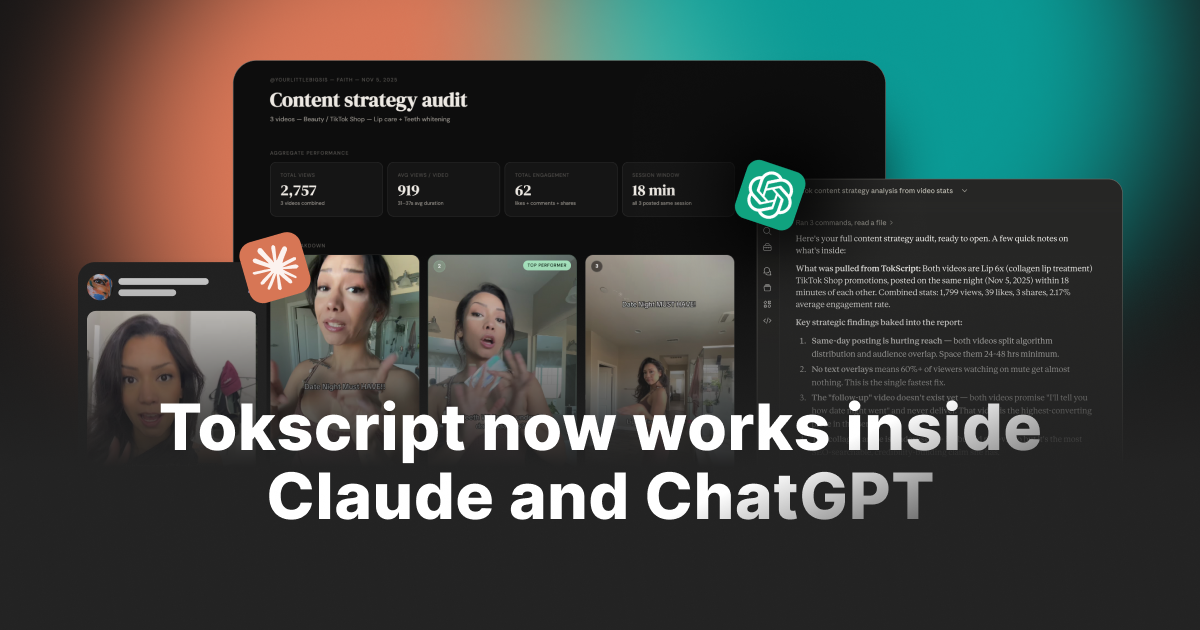
Stop copying and pasting between TokScript and your AI. You've done it long enough and we’re tired of it.
Grab a transcript here, paste it over there, switch tabs, lose context, start over. That whole routine just ended.
Now you can drop a link straight into Claude or ChatGPT and get the transcript, engagement stats, video download, creator data, and your full saved library back in seconds. All within the chat!
Ask follow-up questions. Analyze trends. Bulk process 50 videos. All without leaving the conversation you're already in.
If you've been wishing your AI could just pull your TokScript data for you, this is exactly that. It's live right now and free to start.
What You Can Do
Here's what works right now through the connector:
Transcribe any video from chat:
Paste a TikTok, Instagram, or YouTube link into Claude or ChatGPT and get the full transcript, engagement stats, and metadata back instantly. Same quality as the website. Same speed.
Bulk transcribe multiple videos at once:
Drop 5, 10, or 50 links into a single message and let the AI process them all. No need to scan one by one. Results come back organized and ready to analyze.
Download videos and cover images:
Get HD video files (TikTok and Instagram) and cover images (TikTok, Instagram, and YouTube) delivered directly through your chat. No watermarks.
Search and access your entire library: Every video you've ever scanned on TokScript is accessible through the AI. Search by keyword, browse folders, pull up old transcripts. Your library is fully synced.
Import TikTok collections and playlists:
Give the AI a collection link and it imports the entire thing into your TokScript account. Up to 3,000 videos per collection.
Look up TikTok creator profiles:
Pull follower counts, bio info, engagement metrics, and recent content for any TikTok creator. Useful for competitor research and influencer outreach.
Analyze and compare content:
This is where the AI really shines. Once it has your data, ask it to find patterns, compare creators, identify what's working, suggest hooks, rewrite scripts, or generate reports. The AI does the thinking on top of your TokScript data.
How to Connect TokScript to Claude
Watch the video below to see the full setup, then follow the simplified steps underneath.
Step 1: Open Claude and go to Settings.
Step 2: Find the "Integrations" or "MCP Connectors" section.
Step 3: Search for "TokScript" or add the MCP endpoint manually: https://api.tokscript.com/mcp
Step 4: Click Connect. You'll be redirected to TokScript's login page.
Step 5: Log in with your TokScript account (email or Google sign-in).
Step 6: Authorize the connection. You'll be sent back to Claude automatically.
Step 7: Start using it. Type something like "Transcribe this TikTok: [paste link]" and TokScript handles the rest.
The entire process takes under 60 seconds. If you run into issues, check out our help article: How to Connect TokScript to Claude
How to Connect TokScript to ChatGPT
Watch the video below to see the full setup, then follow the simplified steps underneath.
Step 1: Open ChatGPT and start a new conversation.
Step 2: Click the plug/tools icon in the message bar to open the MCP tools panel.
Step 3: Search for "TokScript" or add the MCP endpoint manually: https://api.tokscript.com/mcp
Step 4: Click Connect. You'll be redirected to TokScript's login page.
Step 5: Log in with your TokScript account (email or Google sign-in).
Step 6: Authorize the connection. You'll be sent back to ChatGPT automatically.
Step 7: Start using it. Ask ChatGPT to transcribe a video, pull your library, or download content and it will use TokScript in the background.
Setup takes under 60 seconds. If you run into issues, check out our help article: How to Connect TokScript to ChatGPT
Why This Matters
Think about what this actually changes in your workflow.
You're researching viral content for a client. Before, you'd scan 20 videos on TokScript, copy the transcripts, paste them into Claude, and ask for analysis. Now you just paste the links into Claude and say "transcribe all of these and tell me which hooks are working best." One message. Done.
You're building a content calendar. You tell ChatGPT to pull your last 50 saved transcripts from your TokScript library, identify the top-performing formats, and draft a 30-day plan based on what's actually working. It does all of it without you opening a single tab.
You're running an agency. Your team needs transcripts, stats, and competitor breakdowns across multiple clients. Instead of training everyone on the TokScript dashboard, they just ask the AI. The connector handles everything behind the scenes.
You're repurposing a viral video. You find a TikTok that's blowing up. You paste the link, get the transcript, and immediately ask the AI to rewrite it for your niche, adapt the hook for YouTube Shorts, and draft three variations for Instagram Reels. All in one conversation.
This is not just a convenience feature. It fundamentally changes how fast you can move from research to action.
What You Need to Know
Works on Free and paid plans. Free users get 5 transcript extractions per day through the connector (same as the website). Pro and Premium users get unlimited access to everything, including bulk transcription, video downloads, and collection imports.
Same account, same data. The connector uses your existing TokScript account. Your library, your folders, your usage limits are all shared between the website, the Chrome extension, and the AI connector. Nothing is separate.
Your data stays secure. The connector uses OAuth authentication. Claude and ChatGPT never see your password or login credentials. They receive a secure access token that lets them make requests on your behalf. All data is encrypted in transit and at rest. You can disconnect at any time.
Works with Claude Desktop, Claude.ai, and ChatGPT. Anywhere MCP connectors are supported, TokScript works.
What's Next
This is our first release of the AI connector, and we are actively building on it. Here's what's coming:
We're expanding platform support as more AI tools adopt MCP. We're also adding more tools to the connector based on what you ask for. If there's something you want to do through the AI that isn't supported yet, let us know.
We Want to Hear From You
This is brand new and we want to make it great. If you run into any bugs, have suggestions for how it could work better, or just want to share your experience with it, please let us know. Your feedback directly shapes what we build next.
Drop a comment below or email us at support@tokscript.com and we'll be happy to help. We have tons of new updates and changes coming every week.
P.S. Need help getting started? We built a full help center with 23 articles covering everything from setup to troubleshooting. Check it out here: TokScript MCP Help Center